Essential Tips for Maintaining Your Home Audio Equipment
Discover essential tips for maintaining your home audio equipment to ensure optimal performance and longevity. Keep your audio system in top shape!

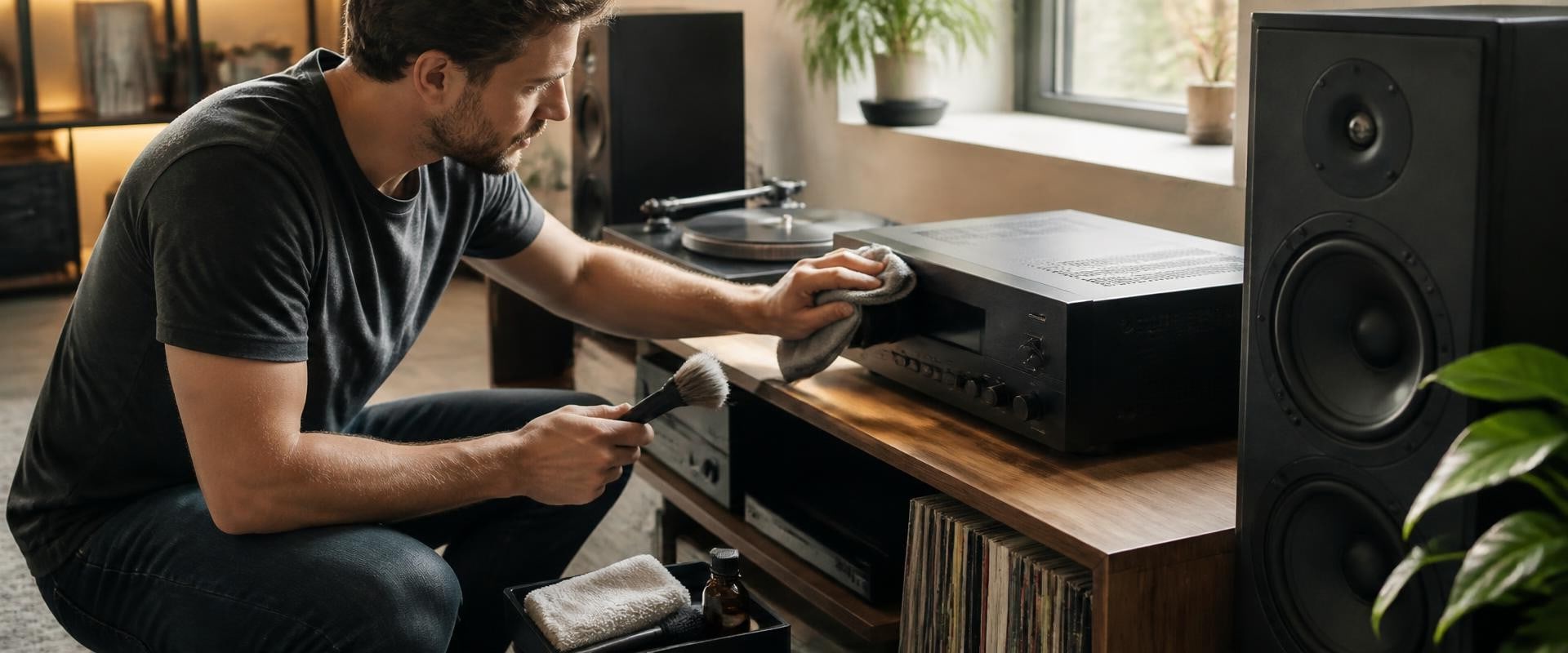
Understanding your home audio system is the first step toward effective maintenance and optimal performance. A typical home audio setup consists of several key components, including speakers, receivers, and amplifiers. Each of these elements plays a crucial role in delivering high-quality sound, and knowing how they interact can significantly enhance your listening experience. Speakers are often the most visible part of your audio system, responsible for converting electrical signals into sound. They come in various types, such as floor-standing, bookshelf, and in-wall speakers, each designed for specific acoustic environments.
Meanwhile, the receiver acts as the central hub, managing audio and video signals from different sources like streaming devices, Blu-ray players, and gaming consoles. It also amplifies the sound before sending it to the speakers. Lastly, amplifiers boost the audio signal to ensure that your speakers perform at their best. By familiarizing yourself with these components and their functions, you can better appreciate the importance of proper care and maintenance. Regularly checking connections, cleaning components, and ensuring optimal placement can prolong the life of your equipment and enhance sound quality.
In the following sections, we will delve deeper into specific maintenance tips tailored to each component of your home audio installation.
Regular Maintenance Practices
Maintaining your home audio equipment is crucial for ensuring longevity and optimal performance. Regular maintenance practices can significantly enhance your listening experience and prevent costly repairs. Here are some essential maintenance tips:- Cleaning Audio Devices: Dust and debris can accumulate on your audio equipment, affecting sound quality. Use a soft, lint-free cloth to gently wipe down surfaces.
For more stubborn grime, slightly dampen the cloth with water or a mild cleaning solution. Avoid using harsh chemicals that could damage the finish.
- Checking Connections: Regularly inspect all connections between your audio components. Loose or corroded connections can lead to poor sound quality or complete signal loss. Ensure that all cables are securely plugged in and consider using contact cleaner on connectors to maintain a good connection.
- Inspecting Cables: Cables are often the most vulnerable part of your audio setup.
Look for any signs of wear, such as fraying or exposed wires. Replace damaged cables immediately to avoid further issues. Additionally, keep cables organized and untangled to prevent stress on the connectors.
Cleaning Your Audio Equipment
Maintaining your home audio installation involves regular cleaning to ensure optimal performance and longevity of your equipment.Dust and grime can accumulate on various components, affecting sound quality and potentially causing damage. Here are some effective cleaning tips for your audio equipment.
General Cleaning Tips
- Turn Off Equipment: Always power down your audio devices before cleaning to avoid any electrical issues.
- Use a Soft Cloth: A microfiber cloth is ideal for dusting surfaces without scratching them. Avoid using paper towels or rough fabrics.
- Avoid Harsh Chemicals: Stick to mild cleaners or a mixture of water and vinegar for tough spots. Never spray cleaners directly onto the equipment.
Cleaning Speakers
Speakers are often the most visible part of your audio setup and require special attention:- Dust Grilles: Use a soft brush attachment on your vacuum cleaner to gently remove dust from speaker grilles.
- Wipe Down Cabinets: For wooden cabinets, use a damp cloth followed by a dry one to prevent moisture damage.
- Inspect Connections: While cleaning, check speaker wires and connections for any signs of wear or corrosion.
Cleaning Other Audio Devices
Your audio system may include various components such as receivers, turntables, and CD players.Here’s how to clean them:
- Receivers: Dust the exterior with a microfiber cloth and use compressed air to clear out vents.
- Turntables: Clean the platter with a soft cloth and ensure the needle is free of dust using a stylus brush.
- CD Players: Wipe the exterior and use a lens cleaner disc to maintain optimal playback quality.
Troubleshooting Common Issues
Maintaining your home audio installation is crucial for ensuring optimal performance. However, even the best systems can encounter issues. Here are some common problems and troubleshooting tips to help you resolve them.1.No Sound from Speakers
If you're experiencing no sound from your speakers, check the following:- Connections: Ensure all cables are securely connected to both the audio source and the speakers.
- Volume Levels: Verify that the volume is turned up on both the audio source and the speakers.
- Input Selection: Make sure the correct input source is selected on your receiver or amplifier.
2.Distorted Sound
Distortion can be frustrating and may stem from several sources:- Speaker Placement: Ensure that your speakers are not placed too close to walls or corners, which can cause sound distortion.
- Cable Quality: Check for damaged or low-quality cables that may affect sound quality.
- Amplifier Settings: Adjust the equalizer settings on your amplifier to reduce distortion.
3.Intermittent Sound
If sound cuts in and out, consider these troubleshooting steps:- Cable Inspection: Look for frayed or damaged cables that could be causing connectivity issues.
- Loose Connections: Tighten any loose connections at both ends of the cables.
- Device Overheating: Ensure that your audio equipment is well-ventilated to prevent overheating, which can lead to intermittent sound.
Regular maintenance and awareness of common problems can help you enjoy a seamless audio experience in your home.
Upgrading Your Home Audio System
Upgrading your home audio system is a crucial step in maintaining an optimal listening experience. As technology evolves, so do the components that can enhance your setup. Knowing when and how to upgrade can significantly improve sound quality and overall performance.When to Upgrade
- If you notice distortion or a lack of clarity in sound, it may be time to consider upgrading your speakers or amplifier.
- When your audio equipment no longer meets your listening needs, such as when you start streaming high-resolution audio files.
- If you’re expanding your home theater system, upgrading components like the receiver or subwoofer can provide a more immersive experience.
Best Audio Upgrades
- Speakers: Investing in high-quality speakers can dramatically enhance sound clarity and depth. Look for models that suit your room size and listening preferences.
- Amplifiers: A powerful amplifier can drive your speakers more effectively, resulting in better sound reproduction and dynamics.
- DACs (Digital-to-Analog Converters): Upgrading to a high-quality DAC can improve the conversion of digital signals to analog, enhancing audio fidelity.
- Cables: While often overlooked, high-quality cables can reduce interference and improve signal transmission, contributing to better sound quality.
Enhancing Sound Quality
To further enhance sound quality, consider the following:
- Room Acoustics: Treating your room with acoustic panels or bass traps can minimize unwanted reflections and improve overall sound clarity.
- Speaker Placement: Properly positioning your speakers can make a significant difference in soundstage and imaging.
Experiment with placement to find the optimal setup.
- Regular Maintenance: Keep your equipment clean and dust-free. Regularly check connections and settings to ensure everything is functioning optimally.
Protecting Your Audio Equipment from Damage
Protecting your audio equipment is crucial for ensuring its longevity and optimal performance. Environmental factors and physical damage can significantly impact the functionality of your home audio installation. Here are some effective strategies to safeguard your gear:- Control Humidity and Temperature: Keep your audio equipment in a climate-controlled environment.
High humidity can lead to corrosion, while extreme temperatures can affect electronic components. Aim for a stable temperature between 68°F and 72°F (20°C to 22°C) with humidity levels around 40-60%.
- Avoid Direct Sunlight: Position your speakers and other audio components away from direct sunlight. UV rays can damage finishes and cause overheating, which may lead to performance issues.
- Use Protective Covers: When not in use, cover your audio equipment with dust covers or blankets. This simple step can prevent dust accumulation and protect against accidental spills or scratches.
- Secure Cables: Ensure that all cables are neatly organized and secured.
Loose cables can lead to tripping hazards, which may result in equipment being knocked over or damaged.
- Invest in Racks or Stands: Use sturdy racks or stands designed for audio equipment. This not only keeps your gear off the floor but also minimizes the risk of accidental bumps or falls.
- Store Properly: If you need to store your audio gear, use original packaging if available. For long-term storage, consider using anti-static bags for sensitive components like speakers and amplifiers.
FAQs About Home Audio Maintenance
Maintaining your home audio equipment is crucial for ensuring optimal performance and longevity. Here are some frequently asked questions regarding home audio maintenance that can help you keep your system in top shape.What are the best practices for cleaning my audio equipment?
Regular cleaning is essential to prevent dust and grime buildup.Here are some tips:
- Use a microfiber cloth to gently wipe down surfaces.
- Avoid using harsh chemicals; instead, opt for a mild soap solution.
- For speakers, use a soft brush to remove dust from the grilles.
How often should I check my connections?
It's advisable to inspect your connections at least once every few months. Loose or corroded connections can lead to poor sound quality. Make sure to:- Unplug and re-plug all cables to ensure a secure fit.
- Check for any signs of wear or damage on cables.
What should I do if my audio system is not performing well?
If you notice a decline in sound quality, consider the following steps:- Check your source devices to ensure they are functioning properly.
- Inspect your speakers for any physical damage.
- If problems persist, consult a professional technician for a thorough evaluation.
Are there specific maintenance tips for different types of audio equipment?
Yes, different components may require unique care:- Amplifiers: Keep them ventilated and dust-free to prevent overheating.
- Turntables: Regularly clean the stylus and ensure the platter is level.
- Speakers: Avoid placing them in direct sunlight or near heat sources.