Troubleshooting Common Issues in Home Audio Installations
Learn how to troubleshoot common issues in home audio installations for optimal sound quality and performance.

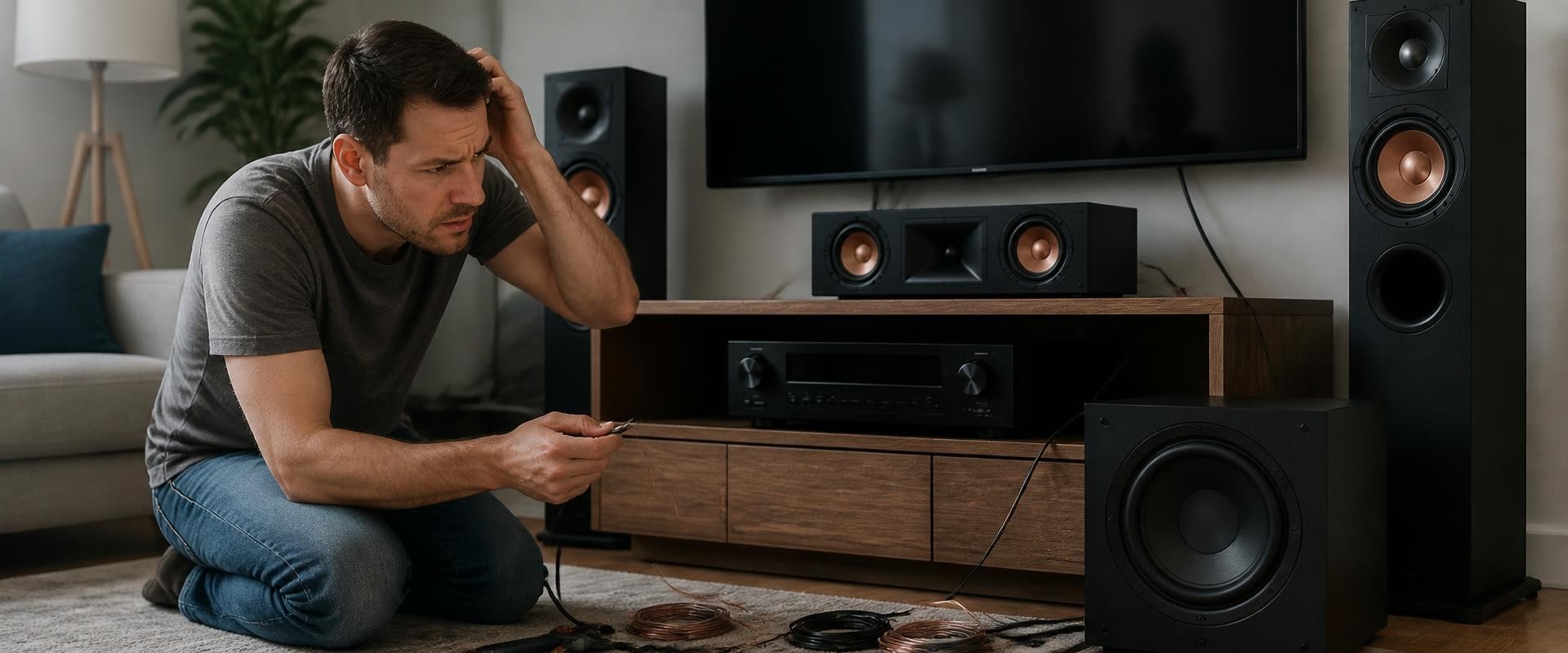
When embarking on a home audio installation, understanding the foundational elements is crucial for achieving optimal sound quality and performance. A typical audio system comprises several key components, including speakers, amplifiers, receivers, and source devices such as CD players or streaming services. Each of these elements plays a vital role in delivering an immersive listening experience, and knowing how they interact can significantly enhance your setup. Before diving into troubleshooting common issues, it’s essential to grasp the basic layout of a home audio system. For instance, the placement of speakers can dramatically affect sound distribution and clarity.
Additionally, the type of cables used for connections can influence signal quality. Familiarizing yourself with these components and their functions will not only help you set up your system effectively but also prepare you for identifying potential problems down the line. Moreover, understanding the installation process itself is equally important. Whether you’re opting for a simple stereo setup or a more complex multi-room audio system, each installation has its unique challenges. By having a solid grasp of home audio installation basics, you’ll be better equipped to troubleshoot issues that may arise, ensuring that your audio experience remains uninterrupted and enjoyable.
Common Issues in Home Audio Installations
When setting up a home audio installation, various issues can arise that may hinder your listening experience.Understanding these common problems can help you troubleshoot effectively and enjoy high-quality sound.
- No Sound Output: One of the most frustrating issues is when there is no sound coming from your speakers. This can be caused by incorrect connections, muted devices, or faulty cables. Always check that all connections are secure and that the volume is turned up on both the source device and the speakers.
- Distorted Sound: If you notice crackling or distorted audio, it could be due to poor-quality cables or interference from other electronic devices. Ensure that your cables are of good quality and try to keep them away from power sources to minimize interference.
- Connectivity Issues: Wireless systems may experience connectivity problems, leading to dropouts or interruptions in sound.
Make sure your Wi-Fi signal is strong and consider repositioning your router or using a range extender if necessary.
- Imbalanced Sound: Sometimes, audio may seem uneven, with certain frequencies overpowering others. This can often be adjusted through the equalizer settings on your audio receiver or streaming device. Experiment with different settings to achieve a balanced sound.
- Speaker Placement Problems: The placement of your speakers can significantly affect sound quality. Ensure that they are positioned correctly according to the room's acoustics.
Avoid placing them too close to walls or corners, as this can lead to unwanted bass buildup.
Diagnosing Sound Quality Problems
When it comes to home audio installation, achieving optimal sound quality is crucial for an immersive listening experience. However, various issues can arise that affect audio clarity and overall performance. Here are some common sound quality problems and actionable steps to diagnose and resolve them.- Distortion: If you notice a crackling or fuzzy sound, distortion may be the culprit. This can occur due to:
- Overdriving your speakers: Ensure that your amplifier is not set too high, as this can lead to clipping.
- Poor-quality cables: Inspect your speaker wires for damage or wear.
Upgrading to higher-quality cables can often resolve distortion issues.
- Imbalance: An uneven soundstage can detract from your audio experience. To troubleshoot:
- Check speaker placement: Ensure that all speakers are positioned at equal distances from the listening area.
- Adjust balance settings: Use your receiver’s balance control to fine-tune the output between left and right channels.
- Lack of Clarity: If vocals or instruments sound muffled, consider the following:
- Room acoustics: Hard surfaces can cause echoes, while soft furnishings can absorb sound. Experiment with placement and consider adding acoustic panels if necessary.
- Speaker settings: Verify that your speakers are set to the correct mode (e.g., stereo vs. surround) based on your audio source.
Regular maintenance and adjustments will ensure that you enjoy clear, balanced audio for years to come.
Addressing Connectivity Issues
When it comes to home audio installation, connectivity issues can be a significant hurdle. Whether you're dealing with wired or wireless setups, identifying and resolving these problems is crucial for optimal sound quality.Identifying Wired Connectivity Problems
If your audio system is wired, start by checking all physical connections. Loose or damaged cables can lead to poor sound quality or complete audio loss. Follow these steps:- Inspect Cables: Look for frayed wires or bent connectors.
Replace any damaged cables.
- Check Connections: Ensure that all plugs are securely connected to their respective ports. A loose connection can disrupt the audio signal.
- Test Different Inputs: If your audio system has multiple input options, try switching between them to see if the issue persists.
Troubleshooting Wireless Audio Issues
Wireless audio systems can introduce their own set of challenges. Here are some common issues and solutions:- Interference: Other electronic devices can interfere with your wireless signal. Try moving your audio components away from microwaves, cordless phones, or Wi-Fi routers.
- Signal Range: Ensure that your audio source is within the effective range of the wireless receiver.
If necessary, reposition the receiver closer to the source.
- Network Issues: If your wireless audio system relies on a home network, check your internet connection. Restarting your router can often resolve connectivity problems.
Resolving Equipment Compatibility Issues
When setting up a home audio installation, ensuring that all components are compatible is crucial for achieving optimal sound quality. Mismatched equipment can lead to poor performance, distortion, or even damage to your devices.Here are some key steps to troubleshoot and resolve equipment compatibility issues.
Check Specifications
Start by reviewing the specifications of each component in your audio system. Pay attention to:- Power Ratings: Ensure that the amplifier's power output matches the speaker's power handling capacity.
- Impedance: Check that the impedance ratings of your speakers and amplifier are compatible, typically 4, 6, or 8 ohms.
- Connections: Verify that the input and output connections (RCA, HDMI, optical, etc.) are compatible across devices.
Use Compatibility Tools
Many manufacturers provide online tools or charts to help you determine if their products work well together. Utilize these resources to cross-reference your components.Test Each Component Individually
If you suspect an issue, test each piece of equipment separately. This can help isolate the problem:- Connect the speakers directly to the amplifier without any additional components.
- Use different cables to rule out faulty connections.
- Try using a different source device to see if the issue persists.
Consult Manufacturer Support
If you continue to experience issues after checking compatibility and testing components, reach out to the manufacturers' customer support.They can provide specific guidance based on your equipment. By following these steps, you can effectively troubleshoot and resolve audio equipment compatibility issues in your home audio installation, ensuring a seamless listening experience.
Fixing Installation Errors
When setting up a home audio installation, even minor mistakes can lead to significant performance issues. Identifying and correcting these errors is crucial for achieving optimal sound quality. Here are some common installation errors and tips on how to fix them:- Poor Speaker Placement: One of the most frequent mistakes is improper speaker placement. Ensure that your speakers are positioned at ear level and at least a few feet away from walls to avoid unwanted reflections.
Experiment with different placements to find the sweet spot for your room.
- Incorrect Wiring: Double-check your wiring connections. Ensure that positive and negative terminals are correctly matched on both the speakers and the receiver. Reversed polarity can lead to phase issues, resulting in a lack of bass and overall poor sound quality.
- Inadequate Power Supply: Make sure your audio components are receiving adequate power. If you notice distortion or intermittent sound, consider using a dedicated power outlet or a power conditioner to stabilize the supply.
- Ignoring Room Acoustics: The acoustics of your room play a vital role in audio performance.
Hard surfaces can create echoes, while soft furnishings can absorb sound. Use rugs, curtains, or acoustic panels to improve sound quality.
- Neglecting Calibration: Many modern receivers come with automatic calibration features. Utilize these tools to optimize your system's settings based on your room's unique characteristics. Manual adjustments may also be necessary for fine-tuning.
By taking the time to troubleshoot and correct these installation mistakes, you can significantly enhance your home audio installation experience.
FAQs About Home Audio Troubleshooting
When it comes to home audio installation, troubleshooting can often feel daunting. Here are some frequently asked questions that can help clarify common concerns and provide quick solutions.What should I do if there is no sound from my speakers?
If you're experiencing no sound, first check the following:- Connections: Ensure all cables are securely connected to both the speakers and the audio source.
- Volume Levels: Verify that the volume is turned up on both the audio source and the speakers.
- Input Selection: Make sure the correct input source is selected on your receiver or amplifier.
Why is there a humming noise coming from my speakers?
A humming noise can be caused by several factors:- Ground Loop Issues: This occurs when there are multiple grounding points in your audio system. Try using a ground loop isolator.
- Cable Interference: Ensure that your audio cables are not running parallel to power cables, which can cause interference.
How can I improve sound quality in my home audio system?
To enhance sound quality, consider these tips:- Speaker Placement: Position your speakers at ear level and away from walls to reduce reflections.
- Room Acoustics: Use rugs, curtains, and furniture to absorb sound and minimize echo.
- Upgrade Components: Investing in higher-quality cables or speakers can significantly improve audio performance.
What should I do if my wireless speakers keep disconnecting?
If your wireless speakers are frequently disconnecting, try these steps:- Check Wi-Fi Signal: Ensure that your router is within range and not obstructed by walls or furniture.
- Firmware Updates: Make sure your speakers and audio source have the latest firmware updates installed.
When to Seek Professional Help
While many issues in home audio installations can be resolved through DIY troubleshooting, there are times when seeking professional audio help becomes necessary. Recognizing these moments can save you time, money, and frustration.Signs You Need to Hire an Expert
- Complex Wiring Issues: If your installation involves intricate wiring or multiple components that are not functioning together, it may be best to consult a professional.
- Persistent Sound Quality Problems: If you’ve tried adjusting settings and repositioning speakers but still experience poor sound quality, an expert can diagnose underlying issues.
- Equipment Damage: Signs of physical damage to your audio equipment, such as burnt-out components or unusual noises, warrant immediate professional assessment.
- Integration with Smart Home Systems: If your audio system needs to integrate with other smart home devices and you’re unsure how to proceed, a professional can ensure compatibility and functionality.
- Lack of Technical Knowledge: If you feel overwhelmed by the technical aspects of your installation or troubleshooting process, it’s wise to seek help rather than risk further complications.
While DIY solutions can be rewarding, they can also lead to more significant problems if not handled correctly. Hiring an expert not only provides peace of mind but also ensures that your audio system is set up for optimal performance. In conclusion, knowing when to hire an expert is essential for maintaining the integrity of your home audio installation. If you encounter any of the signs mentioned above, don’t hesitate to reach out for professional assistance. It’s an investment in quality sound and a hassle-free experience.
Conclusion: Key Takeaways for Successful Home Audio Installations
In conclusion, successfully navigating the complexities of home audio installation requires a solid understanding of common issues that can arise during setup and operation.By being proactive and informed, you can enhance your audio experience and avoid unnecessary frustration.
Key Points to Remember
- Identify Common Problems: Familiarize yourself with typical issues such as connectivity problems, sound quality discrepancies, and equipment compatibility. Recognizing these early can save time and effort.
- Utilize Proper Tools: Having the right tools at your disposal, such as multimeters and cable testers, can significantly aid in diagnosing issues effectively.
- Follow Manufacturer Guidelines: Always refer to the installation manuals provided by manufacturers. These documents often contain troubleshooting sections that can guide you through specific problems.
- Seek Professional Help When Needed: If you encounter persistent issues that you cannot resolve, don’t hesitate to consult with a professional installer. Their expertise can provide insights that may not be immediately apparent.
By applying the troubleshooting techniques discussed in this article, you can ensure that your audio system performs at its best, delivering an immersive listening experience that meets your expectations. Remember, every challenge presents an opportunity for improvement. Embrace the troubleshooting process as a valuable part of your journey toward achieving the perfect home audio setup.